 zurück


Developing with the GUI‑Designer: configuring instead of programming
Creating a good user interface is more work than you might think at first glance. With the GUI‑Designer, the design can be created intuitively on the PC. Using the GUI‑Designer with the LCM display modules offers many advantages:
- Significant reduction in development time and costs
- Design work without programming → Division of labor and relieving software developers of design work
- Less effort needed to experiment with or make changes to the design → more design improvements → better user interfaces
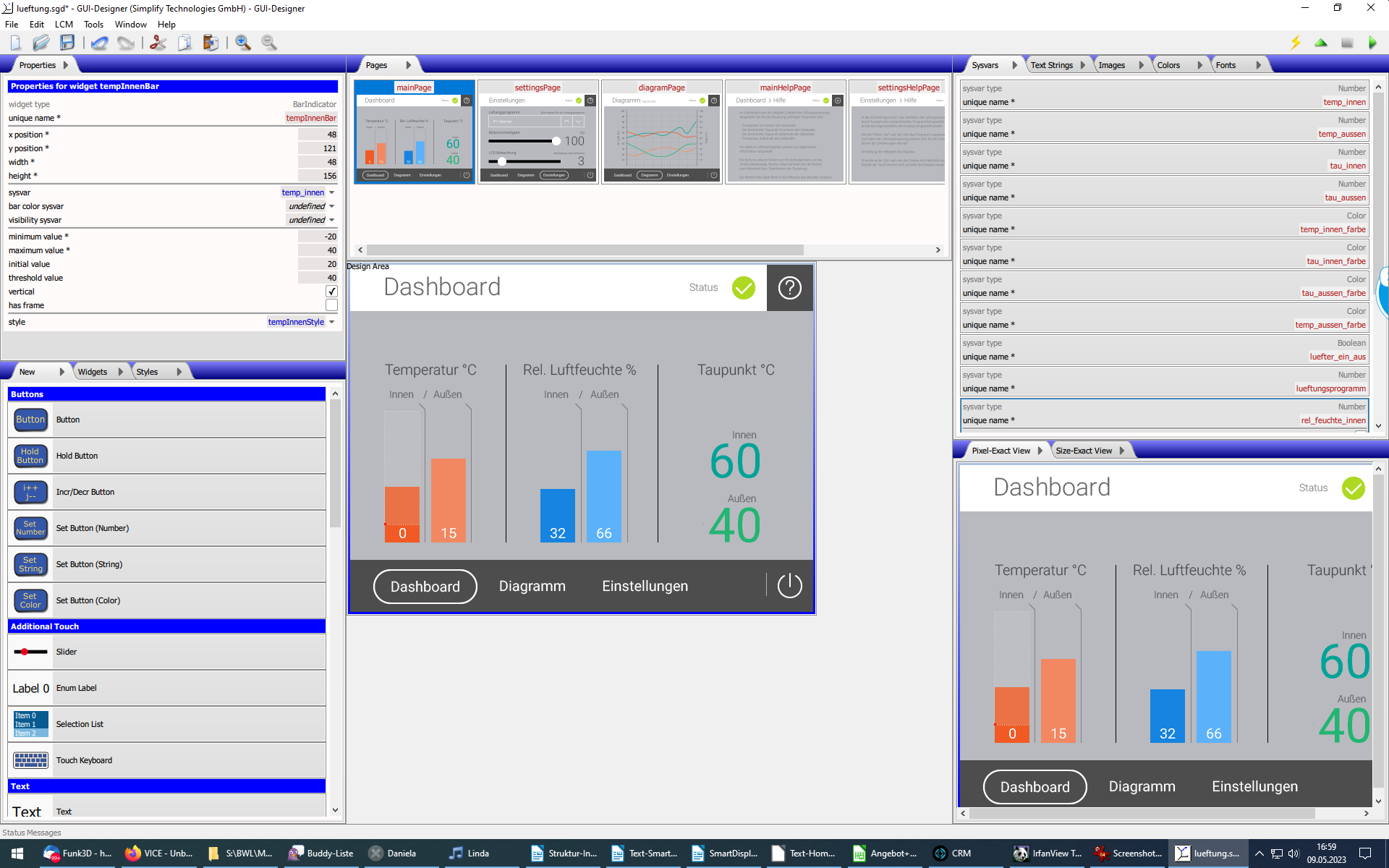
The GUI‑Designer goes far beyond existing options – which usually require an application to directly draw and control all graphic elements on the display – by realizing the following: fundamentally, an application wants to 1) display its current state on a user interface and 2) allow the operator to make (controlled) changes to it. In other words, an application can be completely described by its state, implemented as a set of “system variables”.
The GUI‑Designer can be used to create the application’s entire user interface on a PC, including its screens, graphics and text, as well as the graphical representations of the system variables and the system variables themselves. This design is then “uploaded” to the LCM module and processed there.
